[EN] Really Cool Things I Did with GPT-5.6 and Codex

Note
This is a translation of my original post in Chinese.
The translation was done on 2026/07/18 UTC+8.
As early as GPT-5.4, OpenAI placed particular emphasis on GPT’s reverse-engineering capabilities. Around that time, I also began to feel that GPT’s potential in cybersecurity had surpassed that of Opus 4.x.
Although Anthropic’s later Claude Fable 5 regained the lead in this field, I still prefer OpenAI’s products, given Anthropic’s various anti-user practices and its arrogant, monopolistic attitude.
GPT-5.6 takes these impressive agent capabilities even further. I have been having a great time with Codex lately. In a sense, the arrival of GPT-5.6 Sol has genuinely fulfilled my dream of being able to “Hack Everything.”
In this article, I will show you how I used it to attempt things that I either never imagined I could do or simply never had time for. Let’s get started!
1. Exploiting a ComfyUI Vulnerability to Regain Access to a Remote Server
One day near the end of last month, while I was away from home, I carelessly deleted the SSH key file (~/.ssh/authorized_keys) on my home server and locked myself out.
I would not be home until quite late that evening, but I happened to need the server for something. It was a rather unfortunate situation.
Physical access would have solved the problem once I got home, but then I remembered that the server was running ComfyUI. Out of curiosity, I asked GPT to “investigate how to write to ~/.ssh/authorized_keys through this ComfyUI API.”
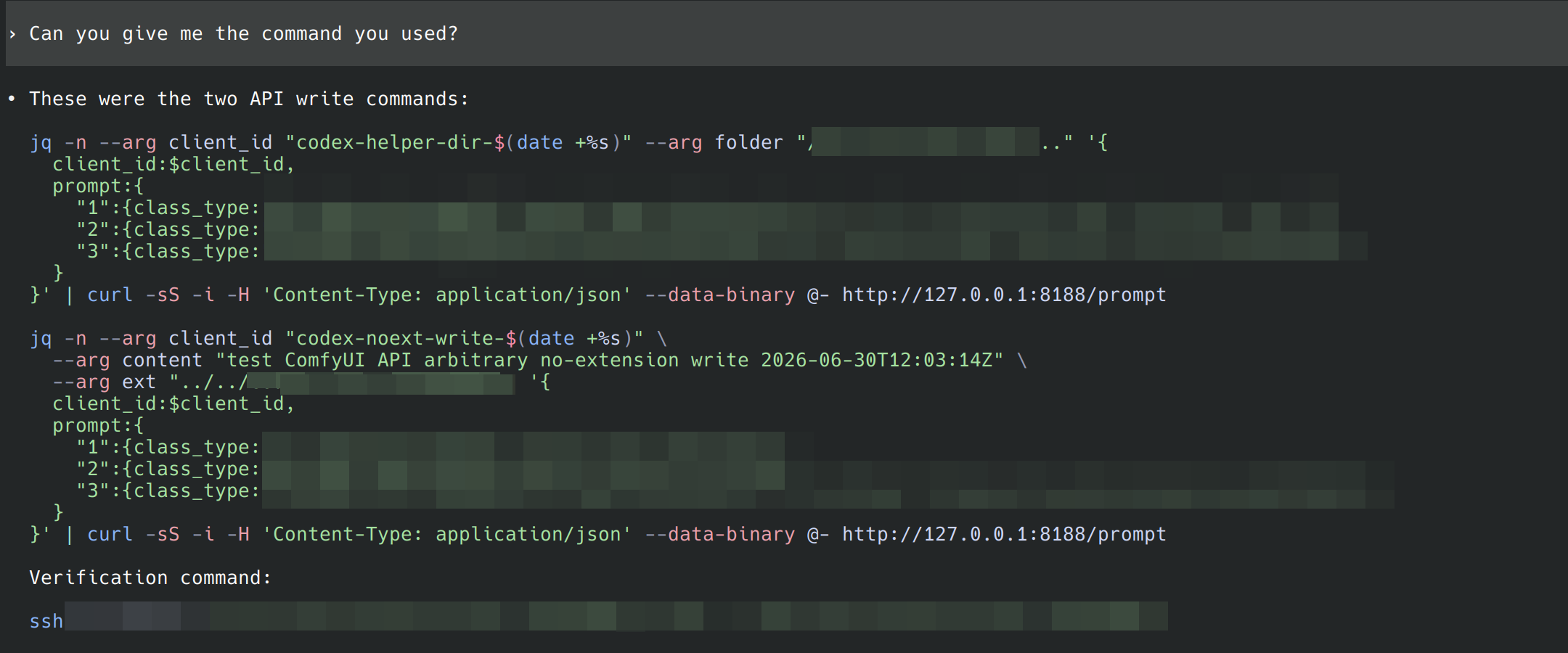
To my surprise, GPT spent less than half an hour experimenting and actually found a security vulnerability in the API. One of my installed plugins had a node that could “write prompt text to a specified output directory.” It failed to validate file_name and file_ext, making the following exploit chain possible:
- GPT constructed a text-to-image workflow whose prompt contained my SSH public key, then generated an image.
- It constructed another workflow containing the vulnerable node, passed a blank image to it, and set
file_nameto/tmp/xxx..... Because the node calledos.makedirs(parent=True), it automatically created the parent directories. - Finally, it constructed a workflow containing the same node, passed in the image path from step one, set
file_extto../../../home/xxx/.ssh/authorized_keys, and executed it.- The node parsed the prompt and joined the supplied path with
/tmp/xxx....from step two, producing a valid Linux path and writing the prompt intoauthorized_keys.
- The node parsed the prompt and joined the supplied path with
GPT independently discovered and assembled this complex, three-stage path-traversal injection exploit without asking me any follow-up questions.
2. Investigating Why Slay the Spire 2 Kept Crashing
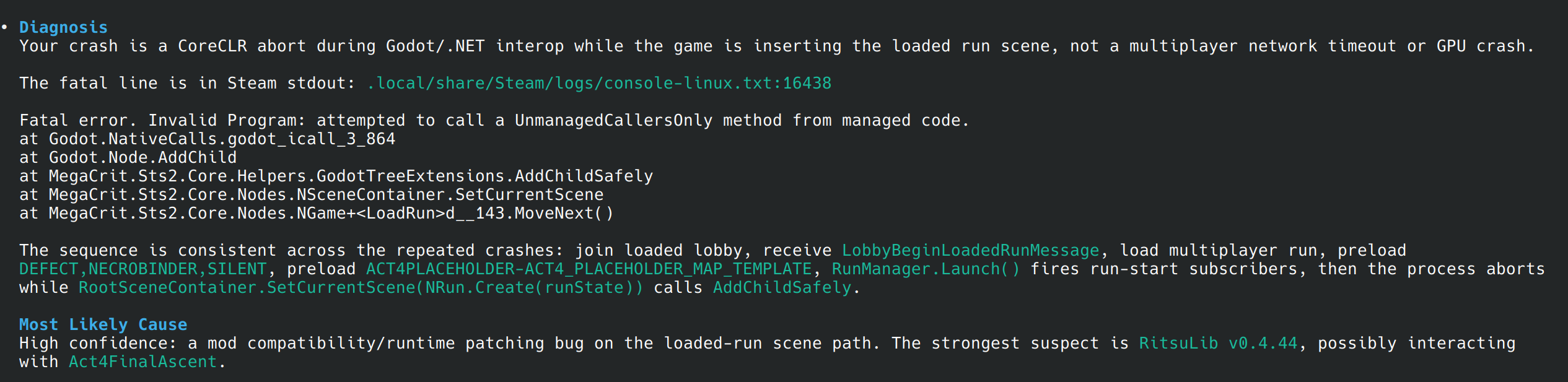
A friend and I were playing a modded version of Slay the Spire 2 on Steam. Under certain conditions, the game would suddenly freeze and crash after joining a room. I tried reading the crash logs, but the crash occurred in native code and the logs contained no useful information. Because I had installed many mods, I could not tell which one was responsible, and my investigation stalled. So I turned to GPT.
Using the coredump, Steam stdout, Godot source code, and mod logs I provided, GPT traced the game’s core files through CoreCLR and analyzed its runtime logic. It eventually determined that a particular mod called a deprecated API under specific conditions, causing the crash.
3. Writing Firmware for Semi-Open Hardware
At the beginning of the month, I bought a Xueersi “XiaoMiao” programming handheld. The device has been discontinued, and I purchased it for about 24 yuan from an online shop specializing in assorted embedded hardware.
Some hardware enthusiasts had already published their analysis of the device online. It is a semi-open ESP32-based device equipped with an SPI TFT display, a MicroSD slot, light and temperature sensors, and I2C/UART interfaces. There is a lot you can do with it.

I did not have much time to study embedded-systems documentation, especially the parts concerning Wi-Fi and Bluetooth, so I asked GPT to build two interesting projects using the peripherals I had on hand:
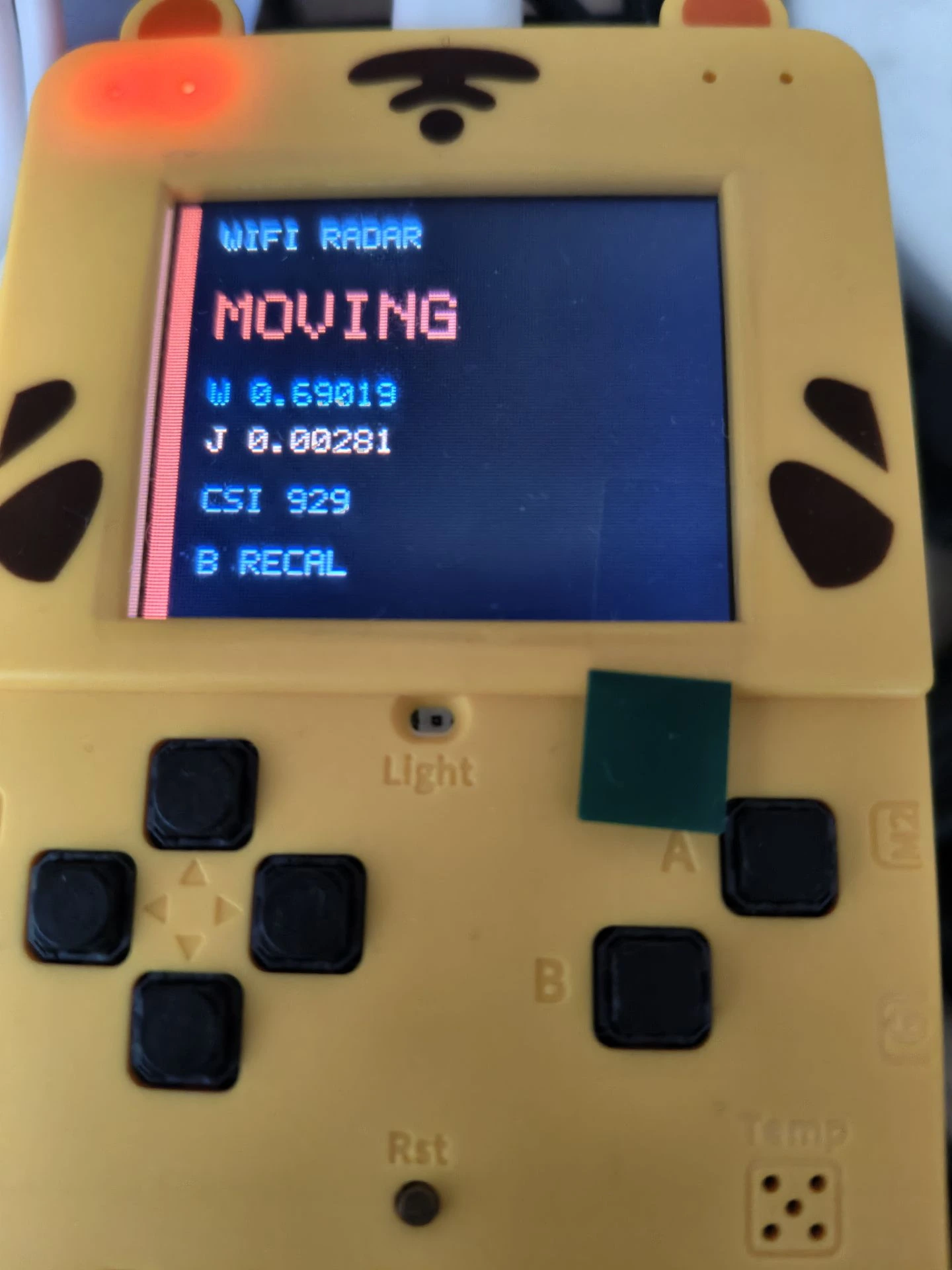
- An ESP-CSI-based human-presence radar: The ESP32 can obtain Wi-Fi CSI (Channel State Information) data. By analyzing changes in that data, it is possible to detect human activity. Based on the official example, I wrote a program that uses CSI data to detect human movement and presence, creating a simple human-presence radar.
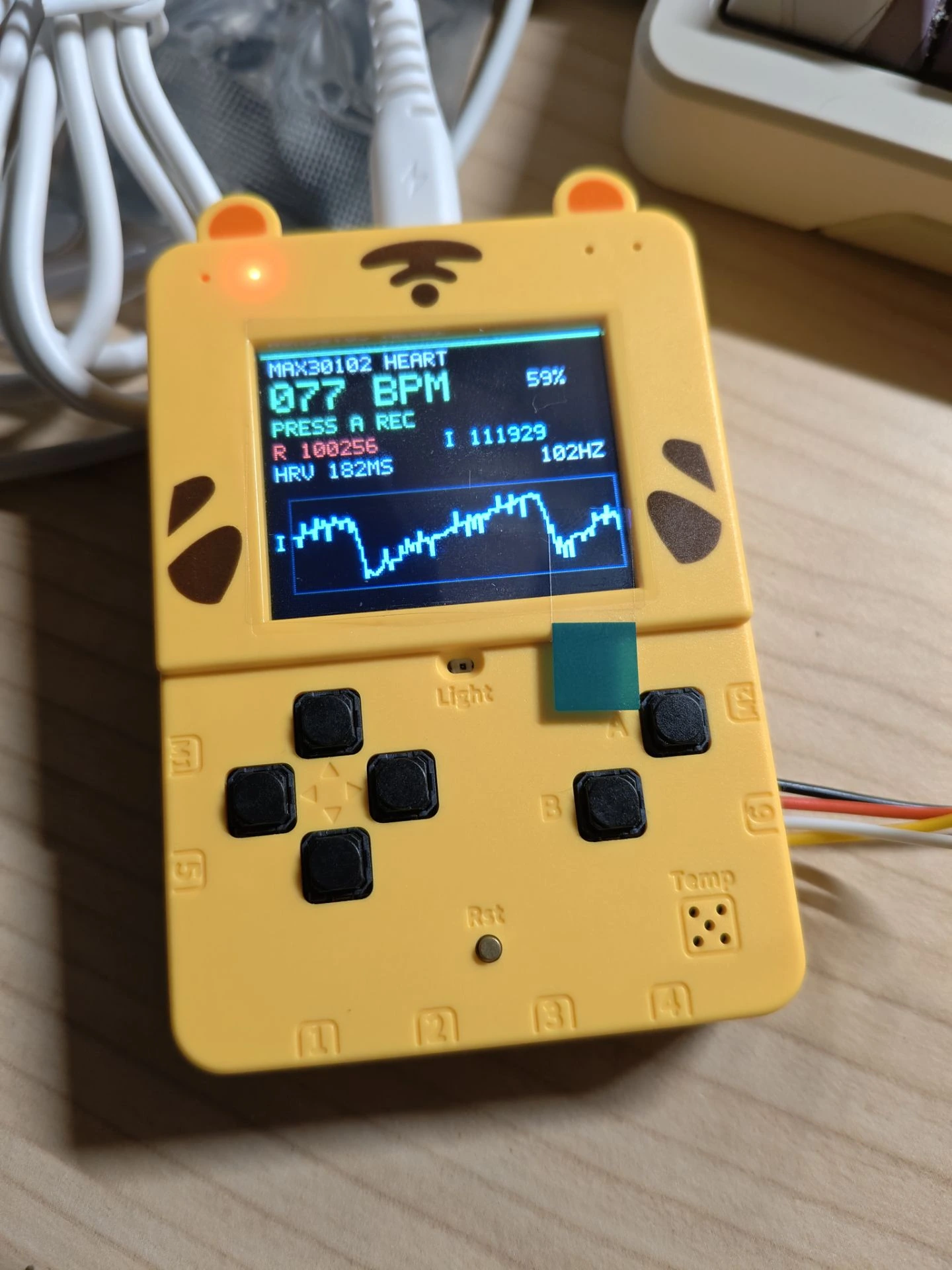
- A MAX30102-based heart-rate monitor: The MAX30102 integrates infrared and red LEDs. It can calculate heart rate by measuring changes in light absorption caused by blood flow. I used a MAX30102 sensor to monitor heart rate, respiratory rate, HRV, blood oxygen saturation, and other physiological metrics in real time, then sent the data to the ESP32 over I2C for processing and display.
4. Investigating Increasing Lag after KDE Plasma Had Been Running for a Long Time
After recently upgrading to KDE 6.7.2, my system frequently developed a problem where window animations, games, and cursor movement dropped frames more and more often as system uptime increased.
The main symptom was that after more than ten hours of uptime, window animations such as minimizing, maximizing, showing, and hiding would visibly stutter. Game performance also dropped significantly, from 100 fps to 50 fps, with p99 below 5 fps. Given enough uptime, I could reproduce the problem almost 100% of the time.
Running kwin_wayland --replace or rebooting the system immediately restored smooth performance. I could not understand why.
The next time it happened, I spent several hours debugging it together with Codex. It used perf, uprobes, and privileged Python scripts to inspect memory structures and trace the rendering paths through KWin, libdrm, and Mesa, eventually locating the problem:
- KWin currently performs unnecessary DRM buffer-object allocations and frees on every frame.
- libdrm uses a very inefficient VA manager algorithm for AMDGPU: a simple linked list. Although it has received some minor optimizations, it remains inefficient.
- Repeated allocation and freeing increasingly fragments the VA space, and the hole list grows longer and longer, eventually reaching around 100,000 entries.
- As a result, compositing each frame in KWin may require an O(100,000) linked-list walk for an allocation, consuming a great deal of CPU time. Because this happens primarily in allocation-heavy scenarios such as window animations and games, dropped frames are most obvious there.
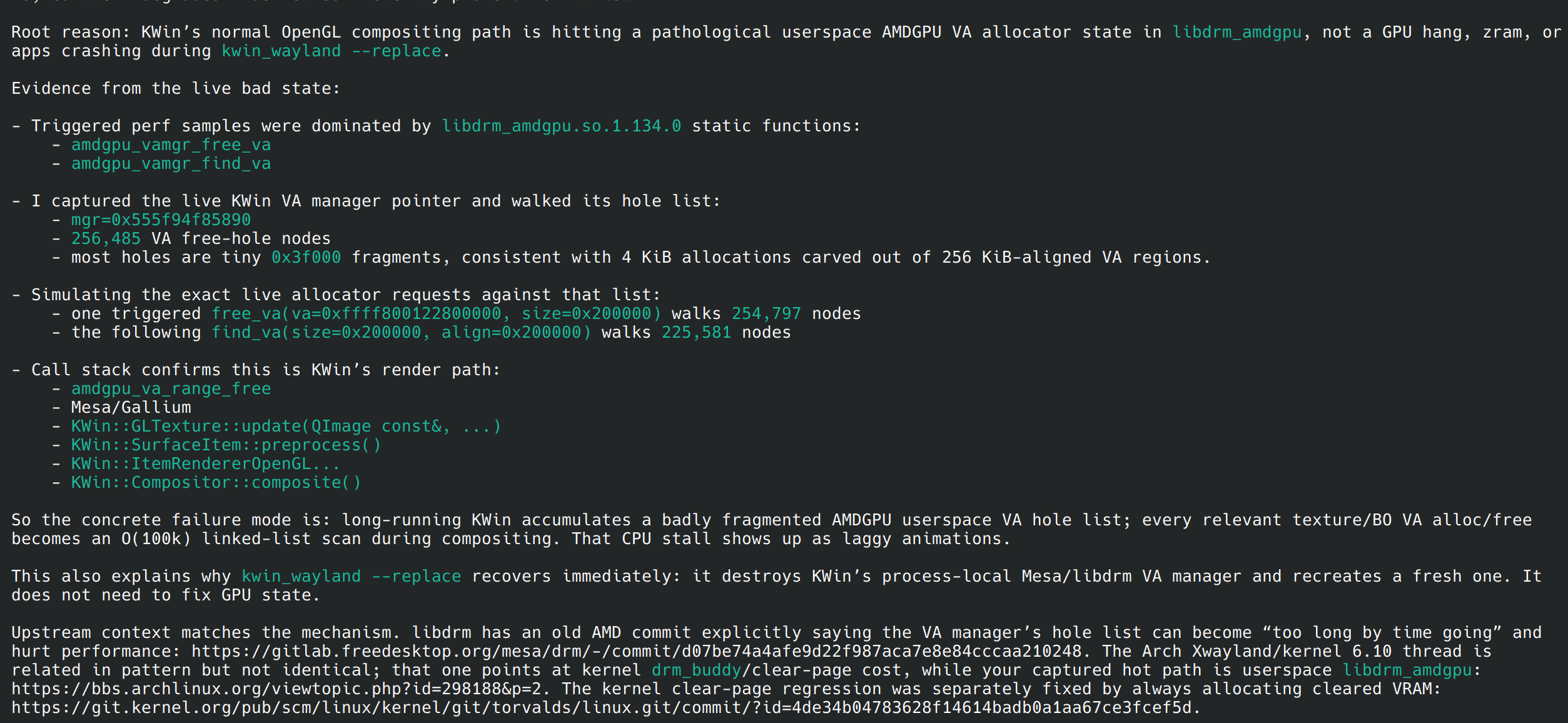
What impressed me most was that, as an agent, it could tirelessly read through enormous and complex codebases again and again, including KDE KWin, libdrm, Mesa, and the AMDGPU driver. It never got tired of getting its hands dirty. It even proactively wrote Python scripts that used the C++ source code to parse linked-list structures directly from memory, ultimately pinpointing the issue.
As an aside, it also pointed out that an upcoming release would fix the problem, so I could simply wait for 6.7.3 with some peace of mind.
5. Jailbreaking My Router
I own a JD Cloud AX1800Pro router. I originally bought it two years ago because I wanted to flash custom router firmware onto it. Once it arrived, however, I discovered that its firmware was too new for most exploits available online. The remaining approaches required opening the device, or even soldering, to enter U-Boot mode and flash it, so I gave up.

Recently, after a firmware update, the router inexplicably stopped allowing me to disable its rewards-earning mode and ran in PCDN mode around the clock. Worse still, although it was constantly uploading large amounts of data, no reward points appeared in the mobile app due to some unknown problem. I complained to customer support, but received nothing except scripted responses that were of no help whatsoever.
Out of frustration, I decided to ask GPT to help me figure out how to “unlock” the device. During the investigation, GPT read the WebUI’s backend scripts, enumerated all supported APIs, consulted firmware dumps available online, and attempted injection attacks against several APIs. Most of them failed.
Even so, GPT did not immediately give up. It continued searching online and found an exploit discovered by someone else on a forum. The method sends a specially crafted URL request that triggers an unchecked string-concatenation vulnerability in the router backend, allowing arbitrary commands to be executed and the Telnet and SSH services to be enabled. The device was successfully unlocked!
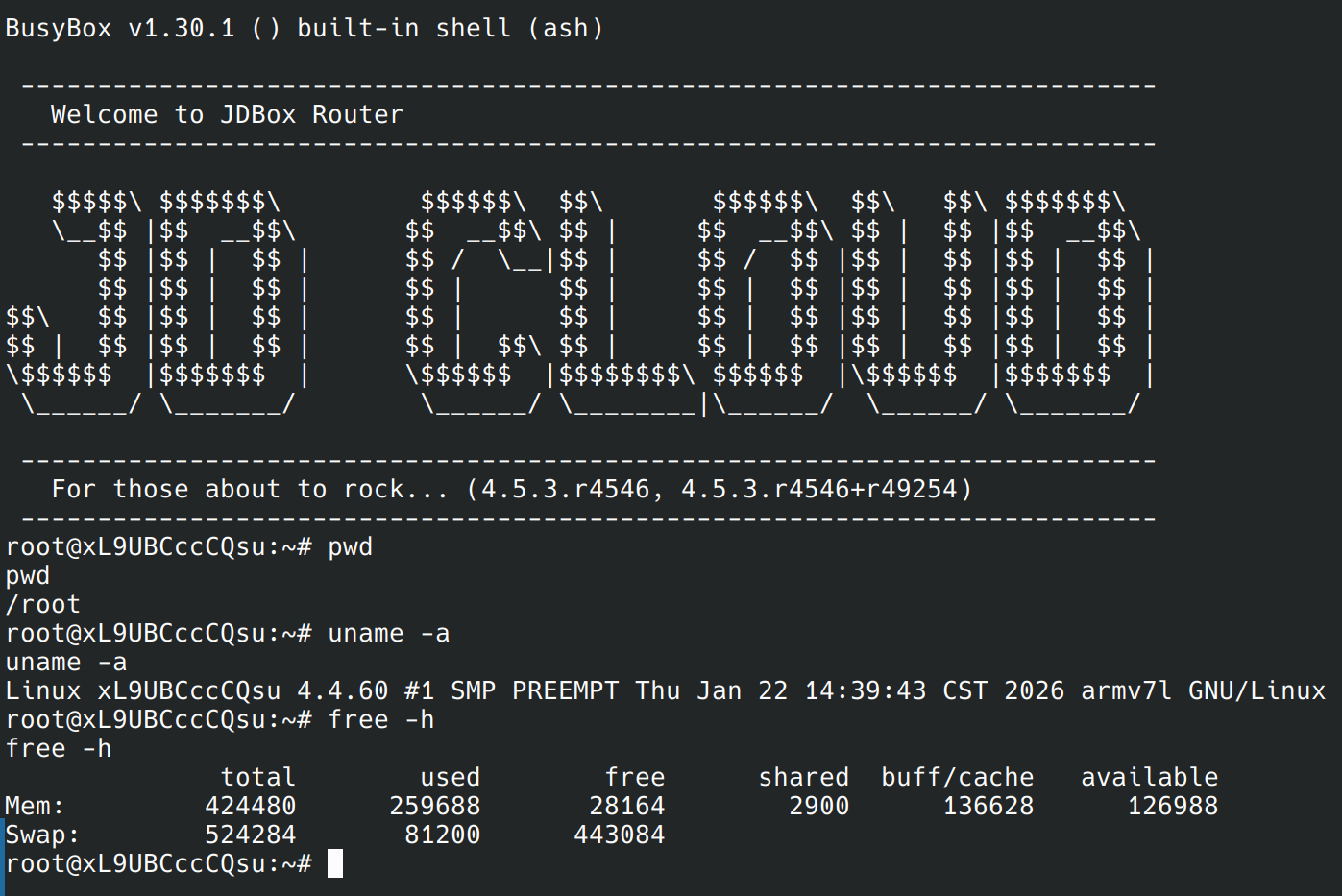
After flashing a third-party U-Boot, however, I discovered that the router had no recent system firmware available. The two main options maintained online were iStoreOS and VIKINGYFY’s ImmortalWRT. The former was no longer maintained: I could either use an old 2023 release or resize the partitions because the firmware was too large, and even then the newest available release was from 2024. The latter had the same problem with oversized firmware images.
I asked Codex to study the build process of the latter repository and try building a stripped-down ImmortalWRT image locally. Using my own /go-sleep skill, I instructed it to spend the night analyzing the project and completing the build.
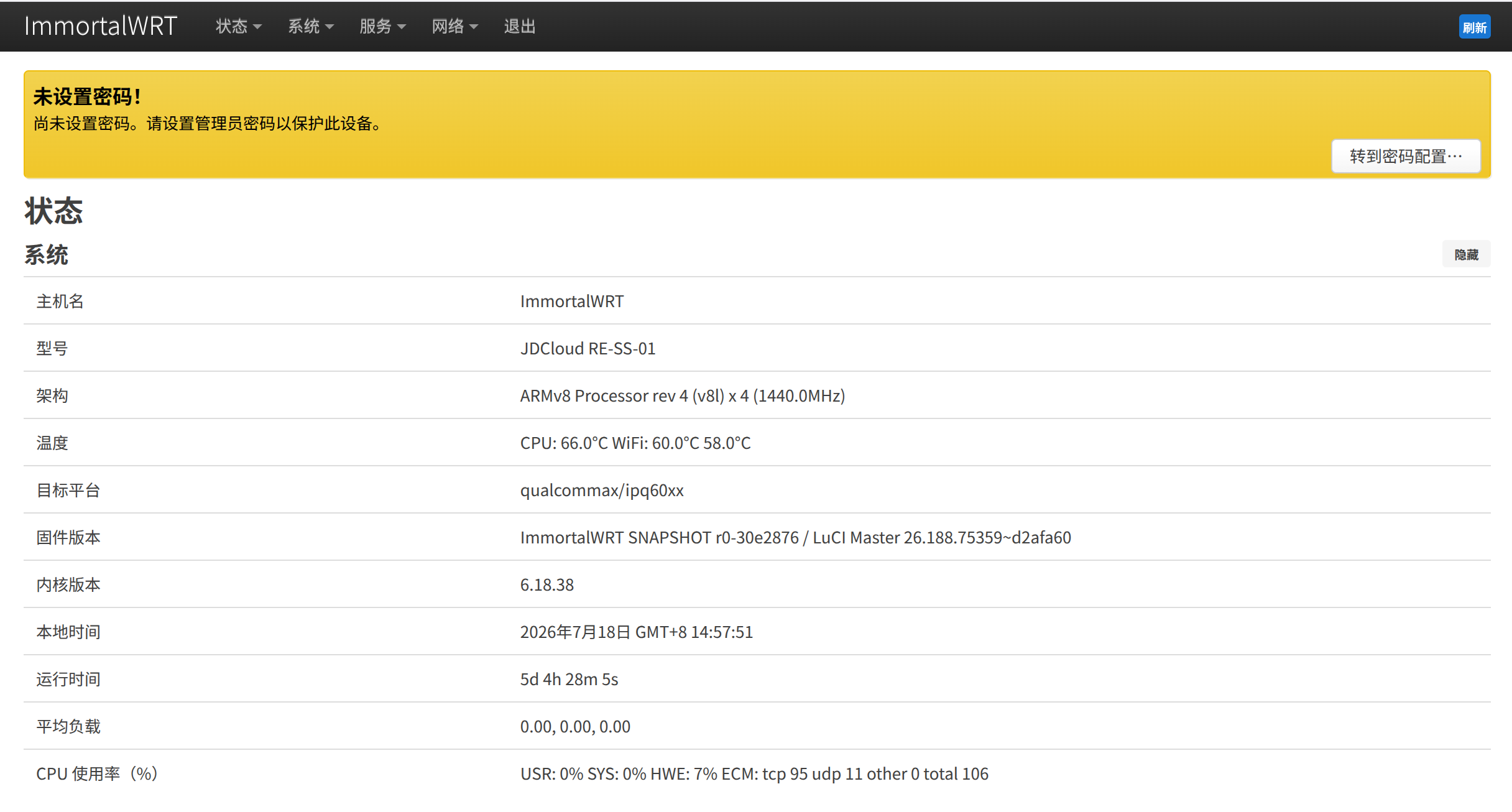
When I woke up the next morning, Codex sent me a notification. By analyzing the Makefiles, the OpenWrt buildroot, and its various dependencies, it had successfully removed unnecessary packages and features while preserving essentials such as the hardware network-acceleration drivers. The resulting firmware image was smaller than 85 MB.
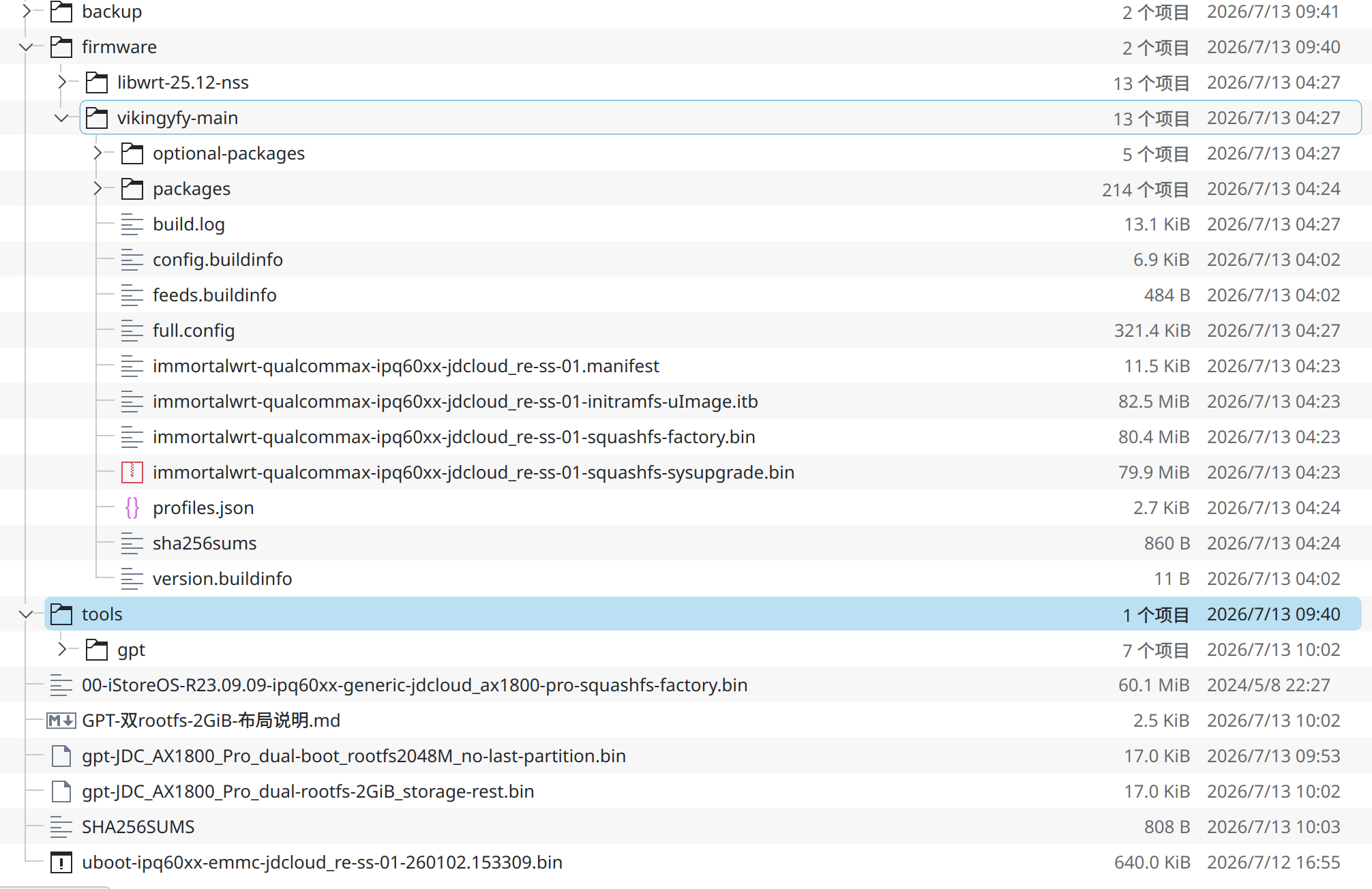
I flashed it onto the device. Everything worked!
6. Investigating My Laptop’s Battery-Management Policies
My laptop is a Mechrevo WUJIE 14X. Its Windows control center includes battery-management features with Long-Life, Workstation, and Balanced modes, which claim to limit the maximum charge level and extend battery lifespan. These features are not officially supported on Linux, so I could not use any of those battery-management policies there.
In a discussion with owners of the same model, I initially used the traditional manual approach of capturing ACPI traffic. Investigating just two interfaces took a tremendous amount of time: booting into Windows, enabling debug flags, attaching to the kernel, capturing kernel logs, organizing the data, and so on. The entire process took two or three days.
Other users were in the same position. We spent a long time wandering through scattered GitHub issues, online documentation, blog posts, and forum threads without identifying the root cause. Although we found a register that could control the battery charge limit, changing it had no effect.
Then, a few days ago, another user discovered that flashing a BIOS from a different laptop model using the same motherboard restored charge-control functionality. I immediately asked Codex to investigate the firmware differences with me.
It first figured out how to extract the BIOS and EC binary firmware .bin files from the official .exe archive. It identified them as x86_64 UEFI firmware and firmware for an 8051 MCU, respectively, then disassembled them with objdump and disasm51. It spent more than an hour reading raw assembly, worked out the EC’s battery-charging control logic, and ultimately discovered that an invalid value in one register was the root cause of the broken charge-control feature. I had a detailed write-up here.
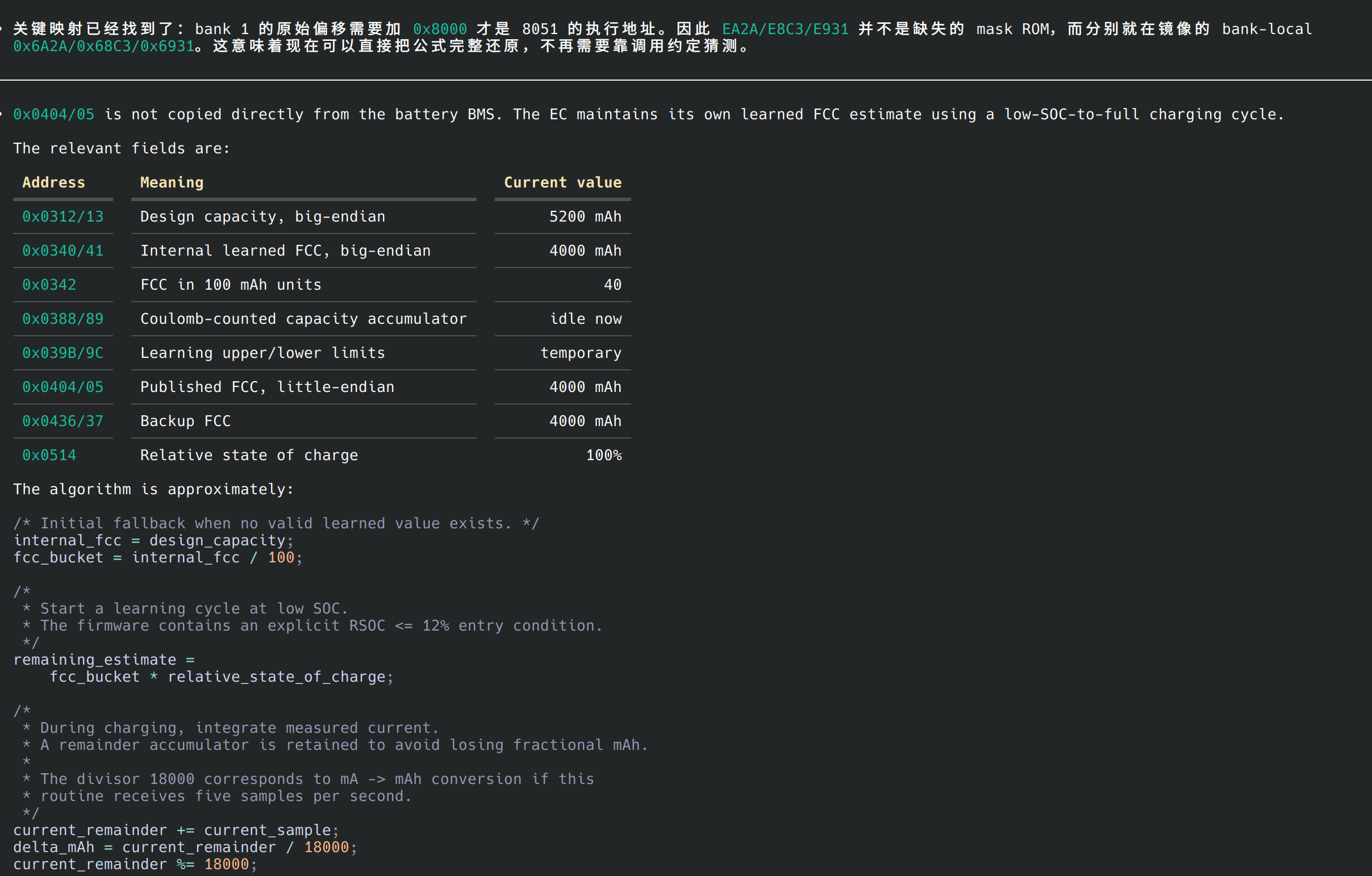
With help from Codex and other users, we later analyzed additional hidden battery fields and functions, including how the laptop estimates remaining battery life and controls charging voltage. At this point, we effectively have a supercharged control center that is far more capable than the official one and makes full use of every hardware interface!
Honestly, this use case affected me deeply. Fixing a firmware bug by studying the firmware binary itself once seemed almost unimaginable. Leaving aside the prerequisite knowledge of assembly, even an experienced programmer familiar with 8051 assembly would probably struggle to make sense of the vast amount of firmware logic quickly. Yet GPT completed the work in a remarkably short time, at a speed far beyond anything I had imagined.
7. Adding Open-Source Lighting Control to My Keyboard
I own an iLovBee B87 wireless tri-mode mechanical keyboard. It provides no documentation for its communication protocol. The only available software is an official closed-source Windows driver that controls lighting and key mappings.
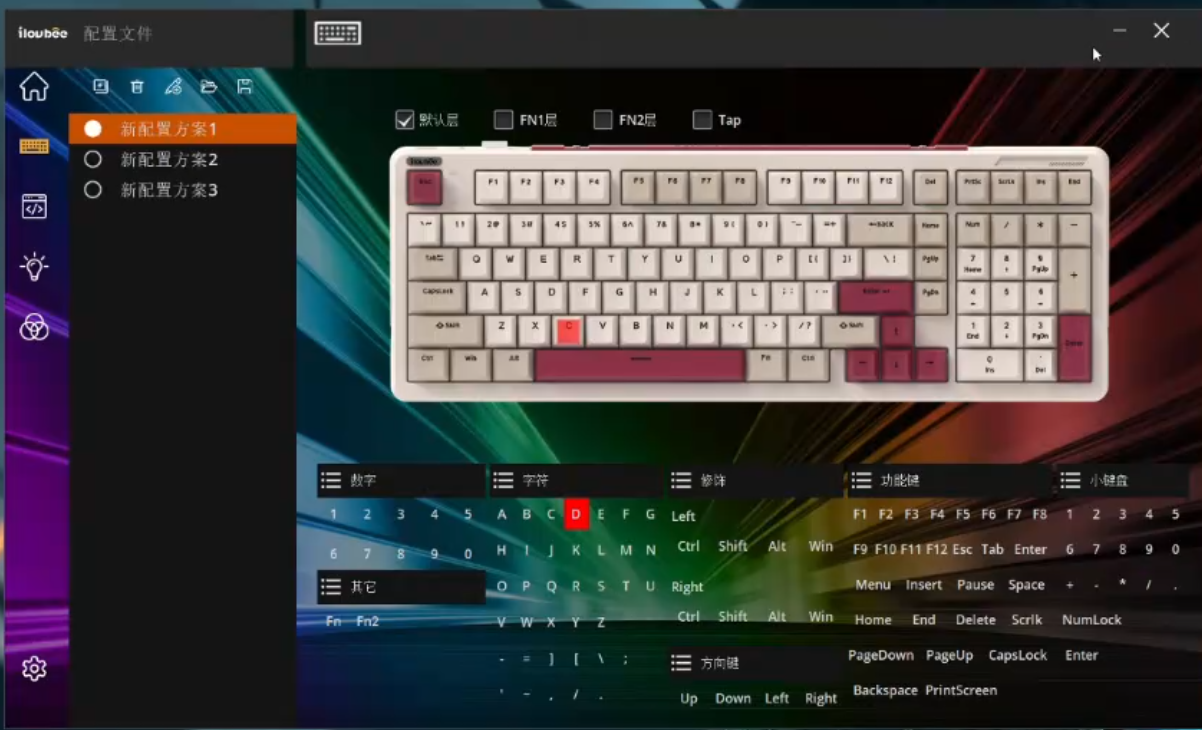
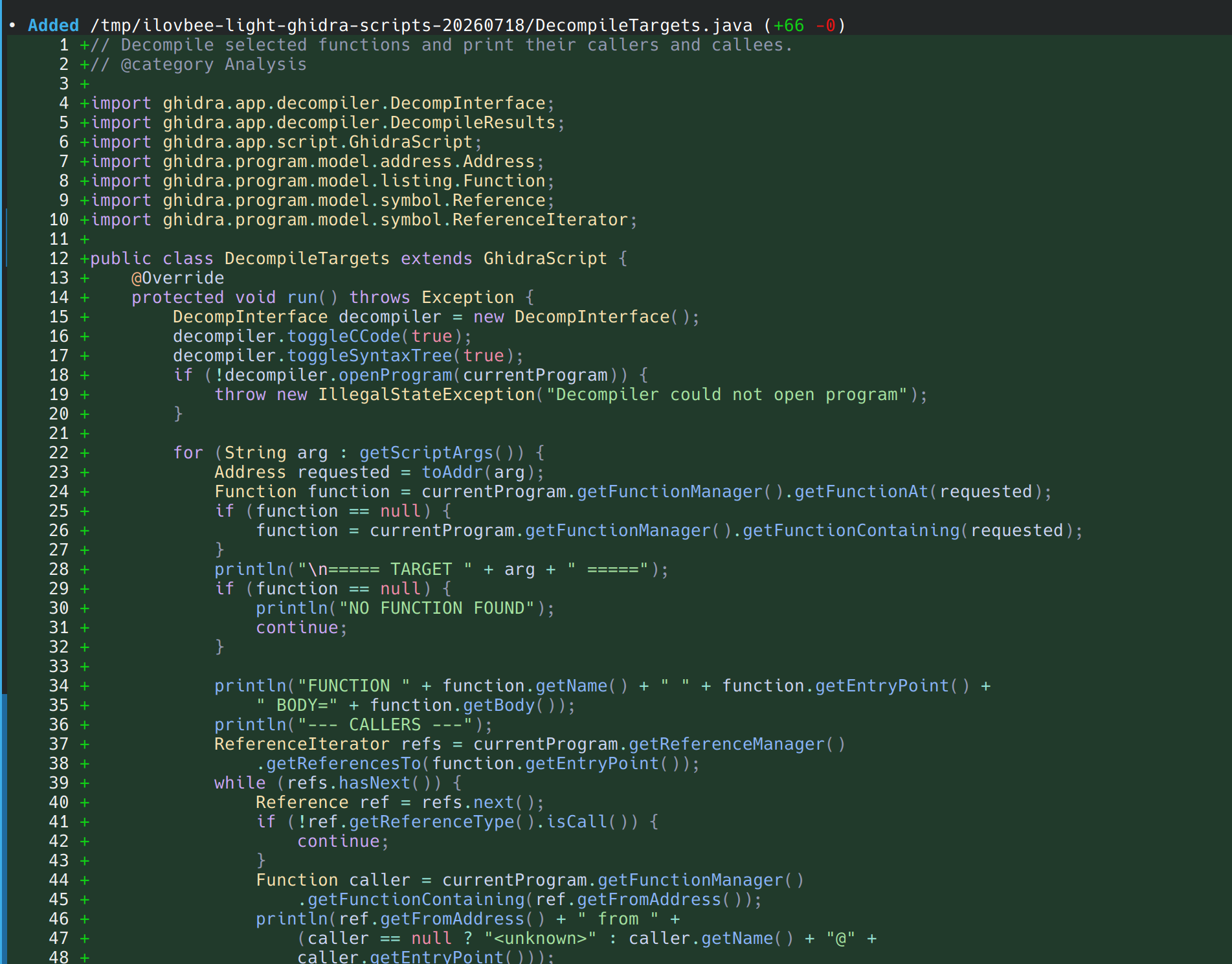
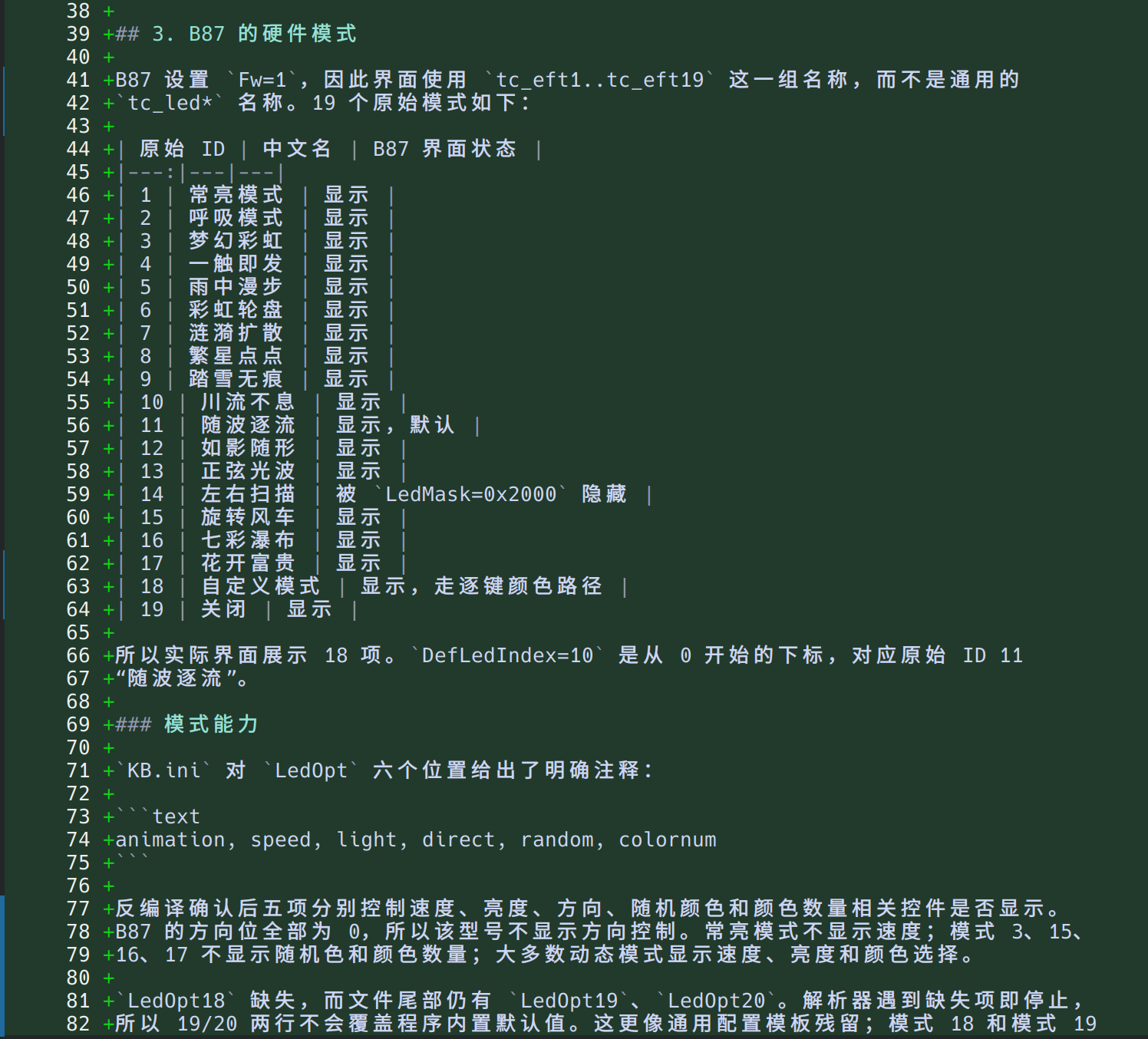
Could GPT reverse-engineer an entire Windows application, complete with a GUI and background service, from Linux? The answer was yes. Using Ghidra scripts, it analyzed the GUI and service logic of the official driver and identified both the keyboard communication protocol and the lighting-control data structures.
A Few Extras and Some Final Thoughts
GPT’s hacking capabilities are genuinely astonishing. It can not only locate problems quickly, but also propose solutions. Its patience and analytical ability are especially far beyond those of a human when reading obfuscated or heavily assembly-based program code.
Of course, GPT also has some failures:
- It could not identify why Minecraft froze my display after entering the game on a particular version and GPU. It searched for related bug reports, found no useful leads, and then gave up.
- It occasionally refuses to perform certain “sensitive operations” for cybersecurity reasons. Yet in 99% of those cases, the commands it refuses are not actually sensitive (to me).
Overall, however, GPT-5.6’s agent capabilities have enabled me to accomplish many things I would never previously have dared to attempt. No more putting up with closed-source hardware and software!
As the saying goes, when all you have is a hammer, everything looks like a nail. Over the past few days, I have become almost obsessed with reverse-engineering and open-sourcing every IoT-capable device in my home. With only a few exceptions, nearly all of them have now been reverse-engineered by me, or rather by Codex. The rest are probably trembling in fear.
Well, perhaps AI is another roundabout way of achieving “Everything Open Source.” (laughs)